How MRKTBL flags wasted ad spend
Choose a campaign, reporting window, spend threshold and conversion goal. MRKTBL can flag eligible spend with zero measured conversions when the report is complete. Use the finding to review the campaign before approving any change.
1. Choose the campaign to review
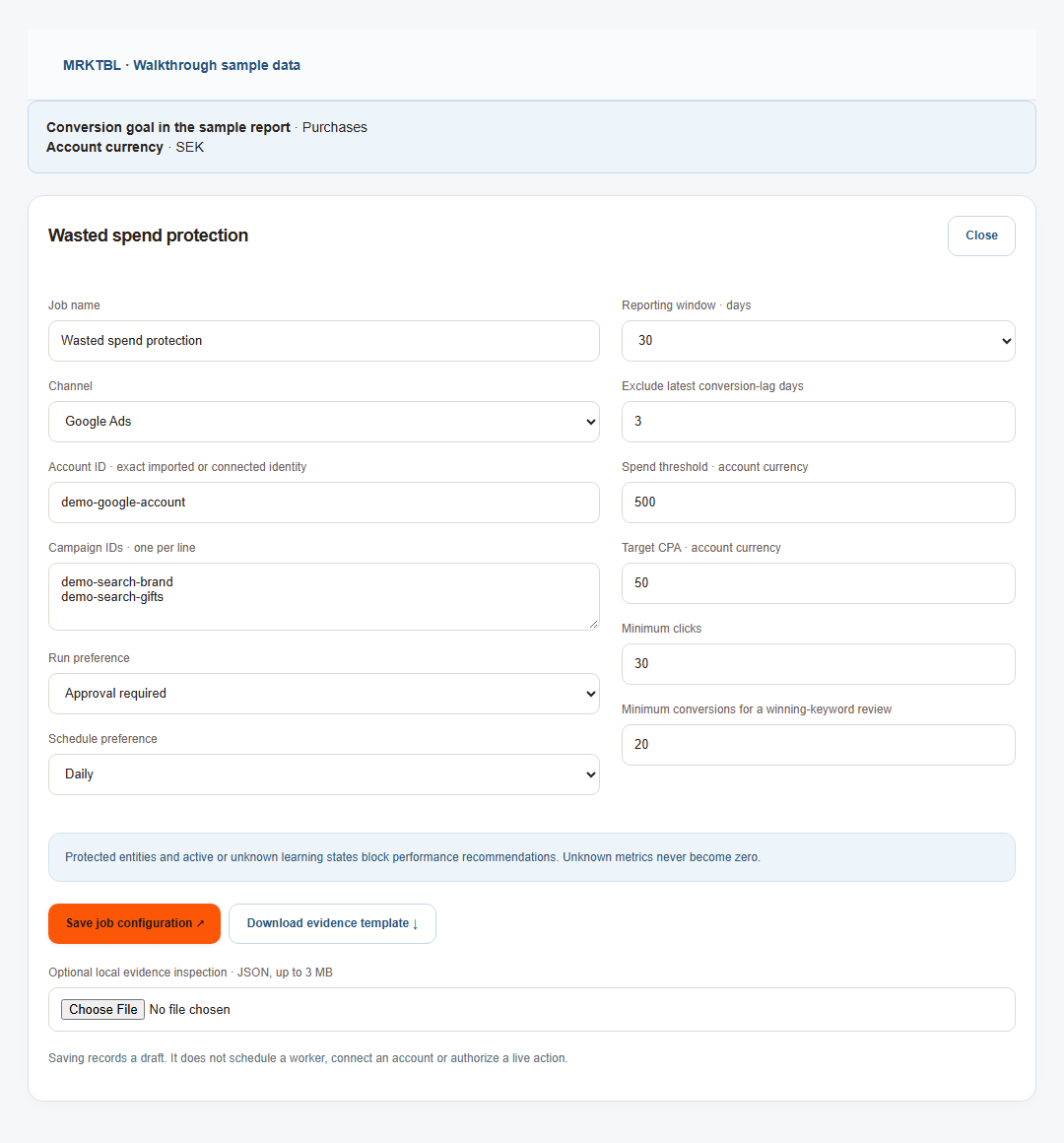
In Agents, open the Wasted spend protection task, or ask Chat to help you set up the same review. Confirm the connected Google Ads account and select the exact Search campaign. Make sure the campaign, currency and account in the review match what you intend to check.
Review my selected Google Search campaign using 30 reporting days and exclude the most recent 3 days for conversion lag. Flag it for review if spend exceeds 500 SEK and a complete report shows zero tracked purchases. If purchase data is missing, tell me what needs verifying. Keep the campaign unchanged.
2. Set the dates, threshold and conversion goal
Choose a reporting window and exclude the most recent days if conversions can take time to be reported. For example, review 30 days and exclude the latest 3 days. Set the spend threshold in the account currency, such as 500 SEK.
If the goal is purchases, select or verify the purchase conversion action in the campaign’s tracking and reporting setup. Wasted spend protection evaluates the conversion metric in the report you provide. If the report combines leads, signups or other actions with purchases, verify the mapping before interpreting a zero as zero purchases.
Choose Approval required and save the job configuration as a draft. You can inspect evidence from the task without enabling an account action.
3. Read the finding and check the evidence
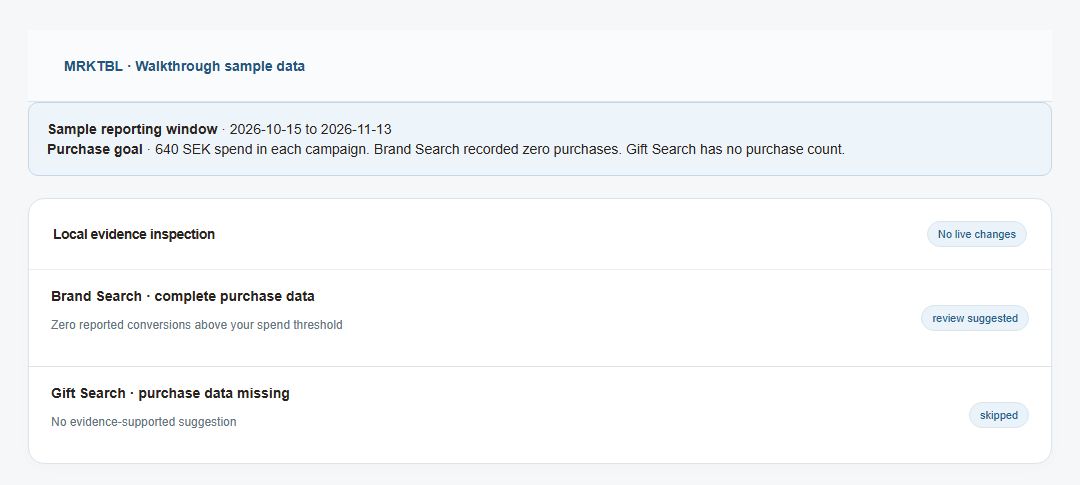
In this illustrative example, an eligible campaign spent 640 SEK in the selected window and the complete report showed zero tracked purchases. That crosses the example threshold and gives you a reason to review the campaign. The Wasted spend protection template treats a 500 SEK threshold as at least 500 SEK.
The screenshot shows Local evidence inspection. Check the dates, spend, conversion definition and tracking in the evidence before acting. Then review the search terms, targeting and landing page, or ask Chat to explain the finding and prepare a supported change for review.
4. Handle missing conversions and review any action
If the conversion metric is missing or the reporting window is incomplete, treat the result as insufficient evidence. Verify tracking and refresh the report before interpreting the spend. Only a measured zero can satisfy the zero-conversion rule.
A finding asks you to review. A supported pause, budget change or other account action has its own approval. Scheduling recurring checks or authorizing eligible automatic actions also requires separate approval for the exact scope and limits.