Create your first agentic Google Search campaign in MRKTBL
Describe your offer, audience, budget and goal in Chat. MRKTBL helps draft a Google Search campaign you can review by ad group, keyword and ad. Approve the exact native action when you are ready.
1. Start with a brief in Chat
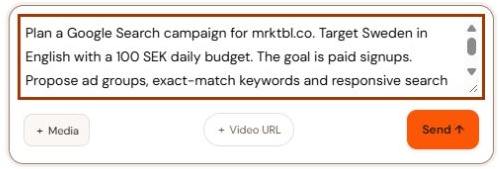
Open Chat in the project for the website you want to advertise. Name the offer, location, daily budget, landing page and the action you want customers to take. The screenshot shows an unsent sample for mrktbl.co, with paid signups as the goal.
Review the suggested campaign type and resolve any questions about account, location, language or budget before asking MRKTBL to structure the draft.
Help me draft a Google Search campaign for mrktbl.co. Target Sweden in English with a budget of 100 SEK per day. Optimize for paid signups and keep the campaign as a draft for review.
2. Review the campaign structure
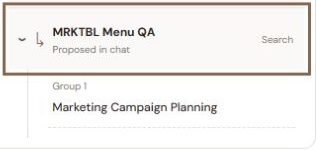
Open the campaign plan and check the Google Ads account, targeting, budget, campaign and ad groups. Group keywords around a clear customer intent, such as finding a tool to plan advertising or reviewing a tool for campaign management.
The structure and review screenshots come from a separate QA draft prepared for paused creation. Use them to find the controls on your own draft.
3. Check the keywords and ad copy
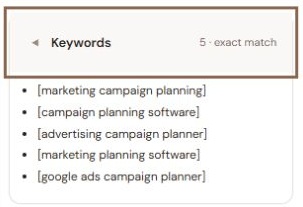
Expand an ad group and inspect the keywords, match types and any negatives. Keep the keywords that fit the offer and location, and check any demand estimates against their source.
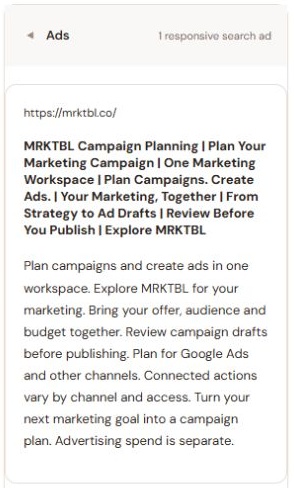
Open the ad to review headlines, descriptions and the destination URL. Check that the page supports each claim and gives visitors a clear way to book. Ask Chat to edit a keyword or ad, then reread the updated draft.
4. Validate and approve the exact action
When the draft is ready, open its publishing review. Confirm the account and campaign details, complete any required declarations and run Google validation. A passing validation lets you move on to approval where the account supports it.
Choose the offered publish action and check its receipt. If you create the campaign paused, use the separate launch review when you are ready to enable it. Check the native status and verified receipt before relying on the result. If the outcome is uncertain, check the saved receipt before trying again.